BUDGETING AND SAVING

FDIC-Insured—Backed by the full faith and credit of the U.S. Government
Close
Before you go
Do any of these situations seem familiar?
- You finally reach the front of a long line and realize you don’t have your wallet.
- At the grocery store, you're juggling a fussy baby and a toddler eyeing the candy display—and your wallet is buried at the bottom of your bag.
- At a busy airport, you juggle your bags and a coffee while trying to buy a protein bar at self-checkout.
These little inconveniences can add extra stress to your day. A mobile wallet is a simple way to make things easier. Once you set it up, you can pay for things with your phone or smartwatch. It’s one less thing to remember, and it’s often easier to find in a pocket or purse than a credit card.
There’s probably a mobile wallet on your phone now
Newer Apple, Google, and Samsung phones already have a mobile wallet built in, so there’s nothing to install. Or you could download a separate app if you prefer.
Set up your mobile wallet
Open Flagstar Mobile and add your Flagstar Visa® Credit or Debit Card to your mobile wallet. (Watch this demo to see just how easy it is.) You can also take a photo of the card or type in the numbers yourself. You could even add your card to an Apple or Samsung watch and leave your phone at home—a great perk for runners and others who travel lightly.
Pay in person
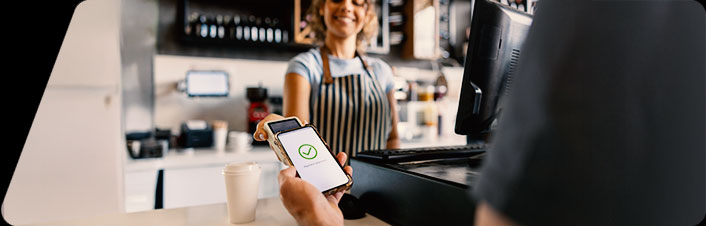
Move your device near the card reader and authenticate with Face ID, your fingerprint, or a passcode. It’s quick and easy.
Pay online and in apps
Buy what you need through Apple Pay, Google Pay, or Samsung Pay without typing in your card number.
Mobile wallets are a safe way to pay
They’re often more secure than other types of payments. Mobile wallets transmit a one-time encrypted token instead of your card numbers. If an employee or hacker intercepts the transaction, your card numbers are protected.
When you pay with a mobile wallet, you can stop worrying about card skimmers, too. There’s no card to swipe, so your numbers stay safe.
And if your phone is ever lost or stolen, you can lock it with Find My iPhone (Apple) or Find My Device (Android). You can also sign into your account to freeze your Flagstar cards or call us so we can help.
A few simple habits keep your mobile wallet working for you
- Secure your phone with Face ID, fingerprint unlock, or a passcode first. If your device isn’t protected, your cards aren’t either.
- Carry a physical card for travel or a day full of errands. Phone and watch batteries die, so take a backup to be safe.
- Keep up with your transactions. Use Debit Card Controls to track your spending and make sure no unauthorized charges go through.

Mobile wallets are one of those small changes that quickly become second nature.
After using it a few times, reaching for a physical card can start to feel old-fashioned.
To get started, open Flagstar Mobile and add your Flagstar Visa® Credit or Debit Card to your mobile wallet. Don’t have the app? How to enroll in mobile banking provides links to download the app, a demo to help you enroll, and tips to help you get the most out of mobile banking.