
FDIC-Insured—Backed by the full faith and credit of the U.S. Government
Close
Before you go
MOBILE APP
Bank on the go with our Mobile App
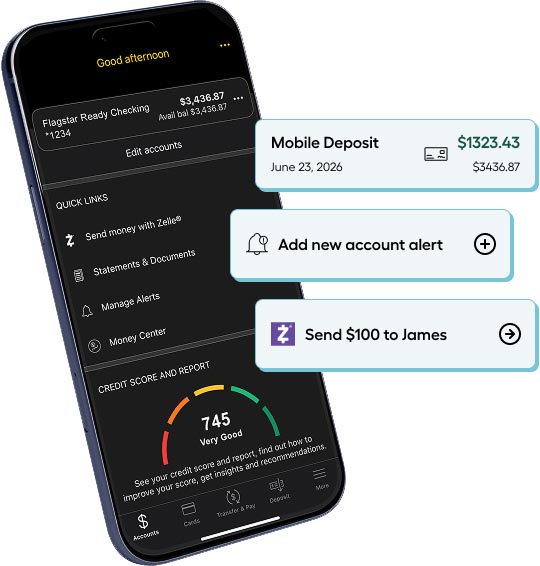
The Flagstar Mobile App lets you monitor your finances, deposit checks,x send money with Zelle®, and pay bills—all securely from your phone.
4.7 out of 5 on the Apple App Store as of 9/1/2026


Scan this code with your phone’s camera to download the Flagstar Mobile App.


Bank anytime, anywhere
Access your accounts quickly and securely, no matter where you are.

Fast, easy payments and deposits
Send money quickly with Zelle®, pay bills, and deposit checks—all in just a few taps

Secure banking at your fingertips
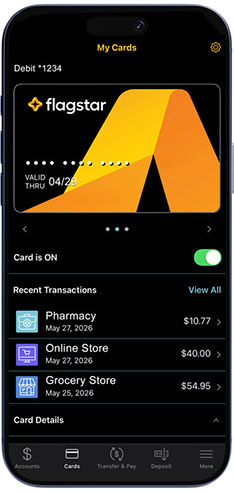
Protect your money on the go with alerts, multi-factor authentication, and Debit Card Controls.
Security tools for added protection
Customize these tools to keep an eye on transactions, freeze your debit cardx, and use Touch or Face ID for convenient and secure account access.


All the ways you manage money, all in one place
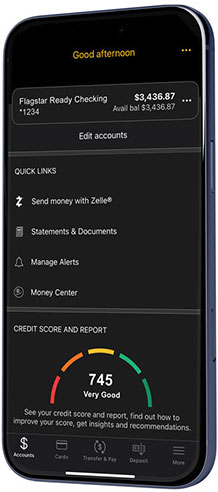
Our Mobile App lets you pay bills, check your balance instantly, send money with Zelle®, deposit checksx, and much more.



Want to give our Mobile App a try?
Learn the basics and all the tips and tricks with these step-by-step interactive demos.
How do you enroll in our Mobile App?

Open an account
Find the checking or savings account that’s right for you, then apply online or at a branch.

Download the Flagstar Mobile Appx,x
Take your account with you wherever you go.


Download the Flagstar Mobile Appx,x
Scan this code with your phone’s camera to download the Flagstar Mobile App from the Apple App Store or Google Play Store.


Instant, touch-free payments with mobile wallet
Add your Flagstar Visa Debit Card®x to your mobile wallet, then just tap your phone when it's time to pay.

Related to the Flagstar Mobile App


Zelle® and the Zelle® related marks are wholly owned by Early Warning Services, LLC and are used herein under license.